
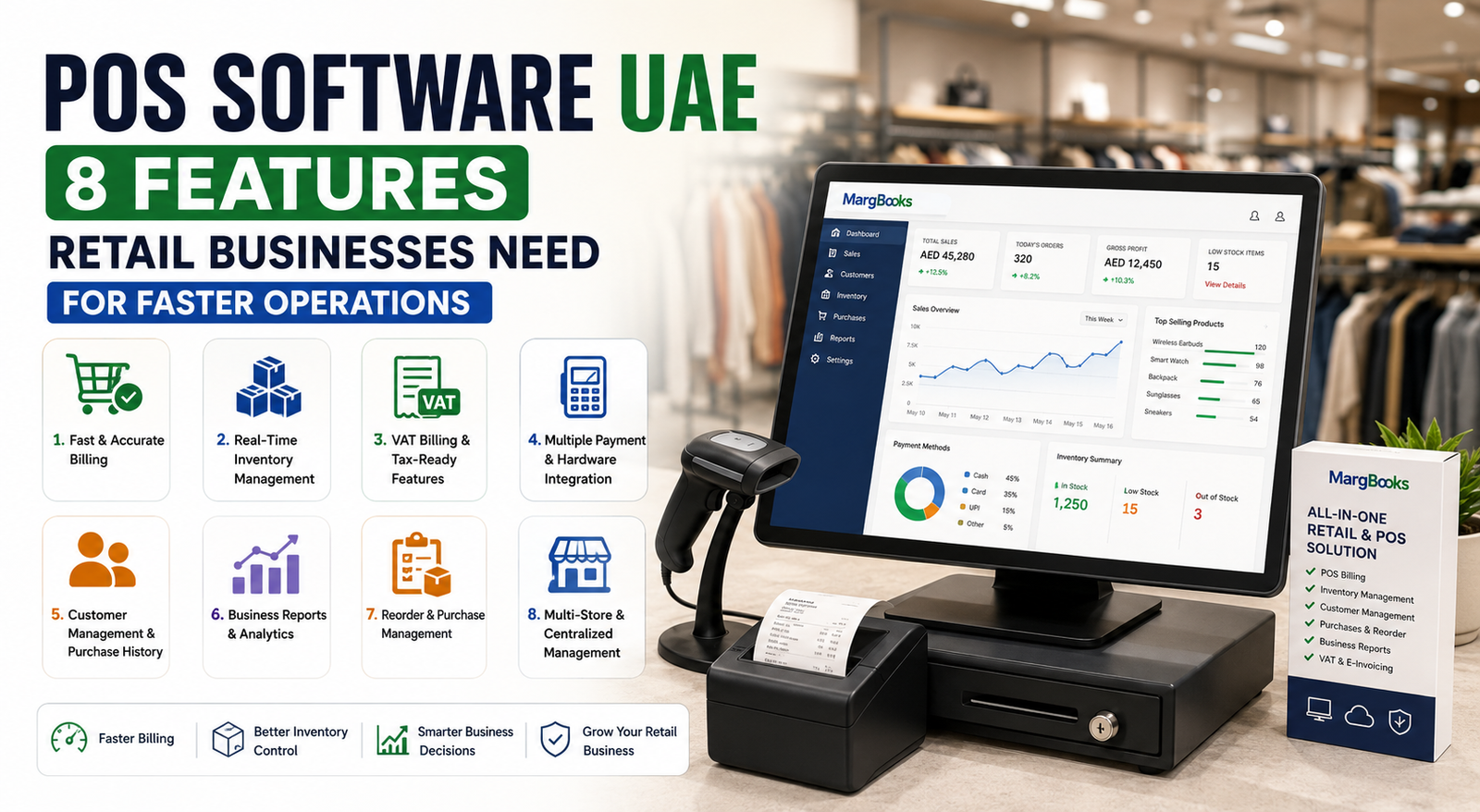
POS Software UAE: 8 Features Retail Businesses Need for Faster Operations
Running a retail business involves much more than simply selling products. Retailers need to manage billing, inventory, customers, payments, purchases, employees, reports, and tax-related records while keeping checkout fast and accurate. When these activities are handled manually or through disconnected systems, even a growing business can face billing delays, stock discrepancies, data-entry mistakes, and difficulty understanding daily performance.
This is where POS software UAE solutions can make a significant difference.
A modern Point of Sale (POS) system can bring sales billing, inventory management, customer information, payment processing, and business reporting into a more connected workflow. For UAE retailers, choosing software that can also support VAT-related billing and evolving digital invoicing requirements is particularly important.
According to the UAE Federal Tax Authority, the mandatory VAT registration threshold for UAE-resident businesses is AED 375,000 in taxable supplies and imports over the relevant period, while the voluntary registration threshold is AED 187,500.
The right POS solution therefore needs to do more than print receipts. It should help retailers manage everyday operations while providing accurate, accessible business information.
In this guide, we explore 8 important features of POS software for retail businesses in the UAE and explain what to consider before choosing a solution.
What Is POS Software?
POS software is a digital system used by businesses to process sales transactions and manage activities connected with those transactions.
A traditional cash register primarily records a sale. Modern POS software can connect the checkout process with other areas of the business, including:
- Sales billing
- Product and inventory management
- Customer management
- Purchase management
- Payment records
- Sales reporting
- Tax and VAT-related billing
- Employee access
- Multi-store management
- Business analytics
For retailers, this integration can reduce repetitive data entry and make information easier to access.
Instead of recording a sale at the counter and updating stock separately later, an integrated POS system can connect the transaction with inventory and reporting processes.
That can help create a more organized retail operation.
Why Do UAE Retail Businesses Need POS Software?
Retail businesses often process a large number of transactions every day. As the number of products, customers, suppliers, employees, and branches increases, managing everything manually becomes more difficult.
A suitable POS software UAE solution can help businesses:
- Process sales more efficiently
- Reduce repetitive manual entry
- Keep better track of inventory
- Monitor sales performance
- Maintain customer records
- Organize purchase information
- Generate useful reports
- Support VAT-related billing processes
- Manage multiple outlets more efficiently
- Make business information accessible from a centralized system
The biggest advantage is not simply faster billing. It is the ability to connect different parts of retail operations.
For example, when a product is sold, the business may need to know:
- What product was sold?
- How many units remain?
- What was the selling price?
- Which customer purchased it?
- Which payment method was used?
- How much did the business sell today?
- What products need to be reordered?
- How is the store performing compared with previous periods?
A well-designed POS system can help retailers answer these questions from connected business data.
8 Features to Look for in POS Software UAE
Not every POS solution offers the same capabilities. Before selecting software, retail businesses should evaluate the features that directly affect their daily operations.
Here are eight important features to consider.
1. Fast and Accurate Billing
The first responsibility of a POS system is to make the checkout process efficient.
During busy periods, customers do not want to wait while staff manually enter product details, calculate totals, or search for prices.
A good POS system should support efficient billing through features such as:
- Barcode scanning
- Product search
- Automatic price calculation
- Discount management
- Multiple payment options
- Receipt generation
- Customer selection
- Return and exchange processing
Barcode scanning can be particularly useful for retailers managing large product catalogs.
Instead of manually entering every product, staff can scan an item’s barcode and retrieve the relevant product information.
MargBooks, for example, provides POS functionality with smart barcode scanning and integration with POS hardware such as cash drawers, weighing scales, and thermal printers.
Why fast billing matters
Faster checkout can help retailers reduce queues and improve the overall purchasing process.
However, speed should not come at the cost of accuracy.
The ideal POS system should help staff process transactions quickly while automatically calculating quantities, prices, discounts, and totals.
2. Real-Time Inventory Management
Inventory is one of the most important areas for a retail business.
Selling a product without knowing the current stock level can create problems. A retailer may accidentally oversell an item, fail to reorder popular products, or hold excessive quantities of slow-moving products.
That is why inventory management software UAE functionality is an important part of modern POS systems.
A suitable system should help retailers monitor:
- Available stock
- Sold quantities
- Purchase quantities
- Product shortages
- Expired products
- Reorder levels
- Product movement
- Different inventory locations
MargBooks describes inventory capabilities including MRP, name, serial-number and rack-wise management, along with tracking of expired, available, and shortage items and setting reorder points.
How POS and inventory work together
Suppose a retail store has 100 units of a product.
A customer purchases five units.
With an integrated system, the sale can be connected to inventory records so that the retailer can see the updated stock position without relying on a separate manual spreadsheet.
This creates a stronger connection between POS billing and inventory management.
For growing retailers, that connection can become increasingly valuable as the number of transactions increases.
3. VAT Billing and Tax-Ready Features
VAT is an important consideration for businesses operating in the UAE.
A POS solution should therefore be evaluated not only for billing speed but also for its ability to support the business’s applicable VAT processes.
The UAE Federal Tax Authority states that UAE-resident businesses generally become subject to mandatory VAT registration when taxable supplies and imports exceed AED 375,000 over the specified period, while voluntary registration is available above AED 187,500 subject to the applicable requirements.
Retail businesses should therefore look for software that can help maintain organized transaction and invoice records.
Useful capabilities may include:
- VAT invoice generation
- Tax calculation
- VAT-related reports
- Customer and supplier records
- Sales records
- Purchase records
- Exportable data
- Integration with accounting processes
MargBooks promotes VAT-ready functionality, including VAT billing and e-invoicing capabilities.
Important consideration: e-invoicing
The UAE’s e-invoicing programme is also an important development for businesses.
The Federal Tax Authority explains that an e-Invoice is structured invoice data exchanged electronically between a supplier and buyer and reported electronically to the FTA. It also states that PDFs, Word documents, images, scanned copies, and emails are not considered e-Invoices.
This means retailers should consider the future direction of digital invoicing when evaluating POS software UAE options.
4. Multiple Payment and POS Hardware Integration
Modern customers may use different payment methods when shopping.
A retail POS system should therefore support the payment workflows relevant to the business.
Depending on the retailer’s setup, this may include integration with:
- Cash drawers
- Barcode scanners
- Thermal printers
- Weighing scales
- Card payment devices
- Other POS hardware
Hardware integration can help reduce the need for staff to manually transfer information between different systems.
For example, when a barcode is scanned, the product can be identified within the POS system. The total can then be calculated and the receipt generated through the connected workflow.
MargBooks lists integration with cash drawers, weighing scales, thermal printers and card/EDC machines among its POS capabilities.
What to check before choosing a POS system
Retailers should ask:
- Does the software support the hardware already used in the store?
- Can new devices be added later?
- Is barcode scanning supported?
- Can payment information be recorded correctly?
- Can receipts be printed efficiently?
Checking compatibility before implementation can prevent unnecessary operational problems later.
5. Customer Management and Purchase History
Retail businesses should not look at every transaction as an isolated sale.
Customer data can help businesses understand buying patterns and provide more personalized service.
A POS system with customer management functionality can help store information such as:
- Customer name
- Contact details
- Purchase history
- Outstanding amounts
- Previous transactions
- Customer-specific information
This can be useful for retailers that offer loyalty programmes, repeat purchases, credit sales, or customer-specific pricing.
MargBooks states that its POS functionality allows businesses to manage customer history and also offers loyalty management functionality for retail chains.
Why customer history matters
Imagine a customer returns to the store after several weeks.
Instead of asking the customer to explain their previous purchase, staff can access the relevant transaction history when the information is available in the system.
This can make customer service more organized while helping the retailer understand repeat purchasing behaviour.
6. Business Reports and Analytics
A POS system generates a large amount of useful data every day.
But data is only valuable when a business can understand and use it.
Retailers should therefore look for POS software UAE with reporting and analytics features.
Useful reports can include:
- Daily sales
- Product-wise sales
- Customer-wise sales
- Purchase reports
- Inventory reports
- Outstanding amounts
- Payment reports
- Branch performance
- Stock movement
- Sales trends
A business analytics dashboard can make this information easier to understand.
MargBooks describes its Business Analytics Dashboard as providing visibility into sales, inventory, financial information, and other business metrics.
Turning POS data into business decisions
Consider a retailer selling hundreds of products.
Without proper reporting, the owner may only know the total sales figure.
With detailed POS analytics, the business may be able to identify:
- Which products sell the most
- Which products are slow-moving
- Which periods generate higher sales
- Which branches perform better
- Which products may need replenishment
- How inventory levels are changing
This can support more informed operational decisions.
7. Reorder and Purchase Management
A retail store cannot sell products that are not available.
Stock shortages can result in missed sales opportunities, while excessive inventory can tie up working capital.
A POS system connected with inventory and purchasing can help retailers maintain better control over replenishment.
Important features may include:
- Minimum stock levels
- Reorder points
- Purchase orders
- Supplier management
- Purchase history
- Stock shortage alerts
- Sales-based reorder planning
MargBooks provides reorder management functionality that can use parameters such as minimum stock, sales basis, and shortages to support purchasing decisions. It also provides supplier comparison and purchase-order functionality.
Example
Imagine a retailer sells 20 units of a particular product every week.
If stock levels are not monitored, the retailer may discover the shortage only after customers start asking for the product.
With reorder-level management, the business can identify when stock reaches a predefined point and begin the purchasing process earlier.
This can help reduce avoidable stockouts.
8. Multi-Store and Centralized Management
As a retail business grows, it may expand from one store to several outlets.
Managing every branch independently can make it difficult for owners and managers to get a complete view of the business.
A centralized retail management system can help bring important information together.
For businesses with multiple locations, useful capabilities include:
- Centralized product management
- Centralized customer management
- Branch-wise inventory
- Inter-branch stock movement
- Centralized purchase orders
- Branch-wise sales reporting
- Head-office monitoring
- Consolidated business information
MargBooks describes retail chain functionality that supports centralized purchase orders, item, account and customer masters, as well as inventory transactions between head office and branches.
Why centralized management matters
Suppose a business operates five stores.
The owner may want to know:
- Which branch generated the highest sales?
- Which branch has excess stock?
- Which branch needs inventory?
- Which products are moving fastest?
- What is the overall business performance?
A centralized POS and retail management solution can make this information easier to access.
POS Software vs Traditional Billing Methods
Many small retailers begin with spreadsheets, manual invoices, or basic billing tools.
These methods may work when transaction volume is low.
However, operational complexity increases as the business grows.
| Traditional Billing | Modern POS Software |
| Manual product entry | Barcode/product-based billing |
| Separate inventory tracking | Connected inventory management |
| Limited customer history | Centralized customer records |
| Manual reporting | Automated reports |
| Separate purchase tracking | Integrated purchase workflows |
| Difficult multi-store monitoring | Centralized branch management |
| Higher dependence on manual data entry | More automated processes |
| Limited business visibility | Analytics and dashboards |
The goal is not simply to replace a cash register.
The goal is to create a connected system that helps the business manage sales and related operations more efficiently.
How to Choose the Right POS Software UAE
There are many POS solutions available, but the right choice depends on the retailer’s business model, product range, transaction volume, number of locations, and operational requirements.
Before purchasing software, consider the following factors.
1. Understand Your Business Requirements
Start by listing what your business actually needs.
For example:
- Number of products
- Number of stores
- Number of employees
- Daily transaction volume
- Inventory complexity
- Payment methods
- VAT requirements
- Customer management needs
- Reporting requirements
This helps prevent choosing software based only on a long feature list.
2. Check Inventory Capabilities
If inventory is an important part of your business, do not choose a POS system based only on billing features.
Check whether it can handle:
- Stock tracking
- Product variations
- Serial numbers
- Expiry dates
- Reorder levels
- Multiple warehouses
- Branch transfers
3. Evaluate VAT and Invoicing Functionality
Ask whether the system can support your applicable VAT billing and record-keeping requirements.
Businesses should also consider how the software aligns with the UAE’s evolving e-invoicing environment. The FTA’s official e-invoicing information explains that structured electronic invoice data is central to the UAE e-invoicing programme.
4. Check Hardware Compatibility
Before implementation, confirm that the POS software works with the devices used in your store.
This may include:
- Barcode scanners
- Receipt printers
- Cash drawers
- Weighing scales
- Card machines
5. Look at Reporting Features
A POS system should help you understand your business rather than simply record transactions.
Check whether you can generate reports relevant to your business.
6. Consider Scalability
Your POS system should be able to grow with your business.
If you plan to open additional branches, increase product categories, or expand your team, choose software that can support that growth.
7. Check Data Security
POS systems can contain sensitive business information, including sales records, customer data, financial information, and inventory details.
Ask potential providers about:
- Data protection
- User access controls
- Backups
- Account permissions
- Data recovery
- Security practices
8. Consider Ease of Use
Even a feature-rich POS system is difficult to implement if employees cannot use it efficiently.
Look for a system with:
- Simple navigation
- Easy billing
- Clear dashboards
- Search functionality
- Straightforward inventory controls
- Employee access management
A system that employees can learn quickly can make implementation smoother.
Common Mistakes Retailers Make When Choosing POS Software
Choosing software only because it is inexpensive can create problems later.
Here are some common mistakes to avoid.
Choosing Only for Billing
A POS system should ideally support more than invoice generation. Inventory, customers, reporting, purchases, and business management can be equally important.
Ignoring Inventory
Retail businesses depend heavily on stock availability. A system with weak inventory management may create operational difficulties.
Not Checking VAT Features
For UAE businesses, tax-related billing and records should be considered when evaluating software.
Ignoring Future Growth
A solution that works for one small store may not be suitable when the business expands.
Not Checking Hardware Compatibility
Hardware compatibility should be verified before implementation.
Choosing a Complicated Interface
If employees find the system difficult to use, checkout operations may become slower instead of faster.
How POS Software Can Improve Retail Operations
A well-implemented POS system can influence several parts of a retail business.
Faster Checkout
Barcode-based billing and automated calculations can reduce repetitive manual work.
Better Inventory Visibility
Sales and inventory information can be connected, helping businesses monitor stock more effectively.
More Organized Customer Data
Customer transaction history can be stored in a centralized system.
Improved Business Reporting
Managers can access sales and operational reports without manually compiling information from multiple sources.
Better Reordering
Inventory levels and sales information can support more structured purchasing decisions.
Easier Multi-Branch Management
Centralized data can make it easier for businesses with multiple outlets to monitor operations.
Reduced Manual Work
Automating repetitive tasks can free employees to focus on customers and other operational responsibilities.
Who Can Benefit from POS Software in the UAE?
POS software is useful across many types of retail businesses.
Supermarkets and Grocery Stores
These businesses typically handle high transaction volumes and large product catalogs. Barcode scanning, inventory management, and fast billing can be especially useful.
Fashion and Apparel Stores
Retailers can benefit from product-level inventory tracking, customer history, sales reports, and organized billing.
Electronics Stores
Serial-number tracking, inventory visibility, customer records, and detailed sales information can be important.
Pharmacies and Specialty Retailers
These businesses may require structured product and inventory management, subject to their specific operational and regulatory requirements.
Wholesale and Distribution Businesses
Wholesale businesses can benefit from connected purchasing, inventory, billing, customer accounts, and reporting.
Multi-Branch Retailers
Businesses with several outlets can benefit from centralized inventory, customer, purchase, and sales management.
Why an Integrated POS System Is Better for Growing Retailers
A retailer may initially use different tools for different tasks:
- One application for billing
- A spreadsheet for inventory
- Another tool for customer records
- Manual reports for management
- Separate processes for purchases
This can create data duplication.
An integrated system can connect these functions.
For example:
Sale → Billing → Inventory Update → Customer Record → Payment Record → Sales Report
This connected workflow can reduce the need to repeatedly enter the same information.
For growing businesses, integration can become increasingly important because the amount of data increases with every transaction.
Frequently Asked Questions About POS Software UAE
What is POS software in UAE?
POS software is a digital system that helps businesses process sales transactions and manage related activities such as billing, inventory, customer records, payments, and reporting.
Is POS software useful for small retail businesses?
Yes. Small retailers can use POS software to organize billing, inventory, customer information, and sales reporting. The specific features required will depend on the business.
What features should retail POS software have?
Important features include fast billing, barcode scanning, inventory management, customer management, payment integration, reporting, VAT-related billing functionality, purchase management, and multi-store support where required.
Can POS software manage inventory?
Many modern POS systems integrate sales with inventory management. This can help businesses monitor stock movement, availability, shortages, and reorder requirements.
Does POS software support VAT billing in the UAE?
Some POS and accounting platforms provide VAT-related billing and reporting functionality. Businesses should verify that the software supports their specific requirements and keep up with official UAE tax guidance.
What is the difference between POS software and accounting software?
POS software primarily focuses on sales transactions and retail operations, while accounting software focuses more broadly on financial records and accounting processes. Some integrated business platforms combine POS, inventory, billing, and accounting functionality.
Can POS software be used for multiple branches?
Yes, depending on the solution. Multi-store POS systems can provide centralized management of sales, inventory, customers, purchases, and other information across branches.
Is cloud-based POS software useful for retail businesses?
Cloud-based systems can make business information accessible from supported devices and locations, depending on the provider’s architecture and access controls. This can be particularly useful for owners managing multiple stores or wanting access to business information outside the shop.
Why MargBook Is Worth Considering for Retail POS Management
For retailers looking for an integrated platform, MargBook provides POS and business-management functionality designed around billing, inventory, purchases, customer management, reporting, and related business processes.
Its POS capabilities include barcode scanning, POS hardware integration, customer history, and daily reporting. The platform also provides inventory management, reorder management, retail chain management, business analytics, bank reconciliation, and VAT-related functionality.
For businesses that want to connect retail billing with broader business operations, an integrated approach can be more practical than maintaining separate systems for each function.
You can explore the platform and its POS capabilities through the official MargBook UAE website: MargBook UAE – POS & Billing Software
Final Thoughts
Choosing the right POS software UAE solution is an important decision for retail businesses that want to improve billing efficiency, inventory visibility, reporting, and overall operational control.
The best solution is not necessarily the one with the longest list of features. It is the one that fits the business’s actual requirements and can continue to support the business as it grows.
At a minimum, retailers should evaluate these eight areas:
- Fast and accurate billing
- Inventory management
- VAT and invoicing functionality
- Payment and hardware integration
- Customer management
- Business reporting and analytics
- Reorder and purchase management
- Multi-store management
A connected POS platform can help transform the checkout counter from a simple billing point into a source of useful business information.
For UAE retailers, evaluating POS software with inventory, billing, customer, reporting, VAT, and scalability requirements in mind can help create a more organized foundation for everyday retail operations.
Ready to explore an integrated POS and business management solution? Visit MargBooks UAE to learn more about its POS, billing, inventory, accounting, and retail management capabilities. Explore MargBook UAE Demo.